Why Ransomware Targets Accounting Software: A Firm Leader's Guide

Why Ransomware Targets Accounting Software: A Firm Leader’s Guide
Ransomware targets accounting software because these systems hold the highest concentration of exploitable assets in any small or mid-size business: Social Security numbers, bank routing details, payroll records, tax credentials, and direct access to multiple client accounts, all in one place. Add the fact that a CPA firm under a filing deadline will pay to restore access fast, and you have an attacker’s ideal target. If you suspect an active incident right now, take these steps immediately:
- Isolate affected systems from the network. Unplug ethernet cables; disable Wi-Fi on compromised machines.
- Notify your cyber insurance carrier and legal counsel before making any public statement or paying anything.
- Preserve logs and forensic artifacts. Do not reboot infected machines; that destroys evidence.
- Verify your backups. Confirm whether your most recent snapshot is intact, air-gapped, and actually restorable — not just present.
Client notification risk, regulatory obligations under the Gramm-Leach-Bliley Act (GLBA), and payroll continuity are your three triage priorities. Each one has a clock attached to it.
Table of Contents
- Why ransomware targets accounting software: what the threat data shows
- What a ransomware incident actually costs an accounting firm
- What to do in the first 72 hours after discovering ransomware
- Questions to hand your IT provider or MSP right now
- Real incidents that show how these attacks unfold
- Key Takeaways
- The gap most firms don’t see until it’s too late
- Akikalabs protects your QuickBooks Online data when it matters most
- Useful sources and authoritative references
Why ransomware targets accounting software: what the threat data shows
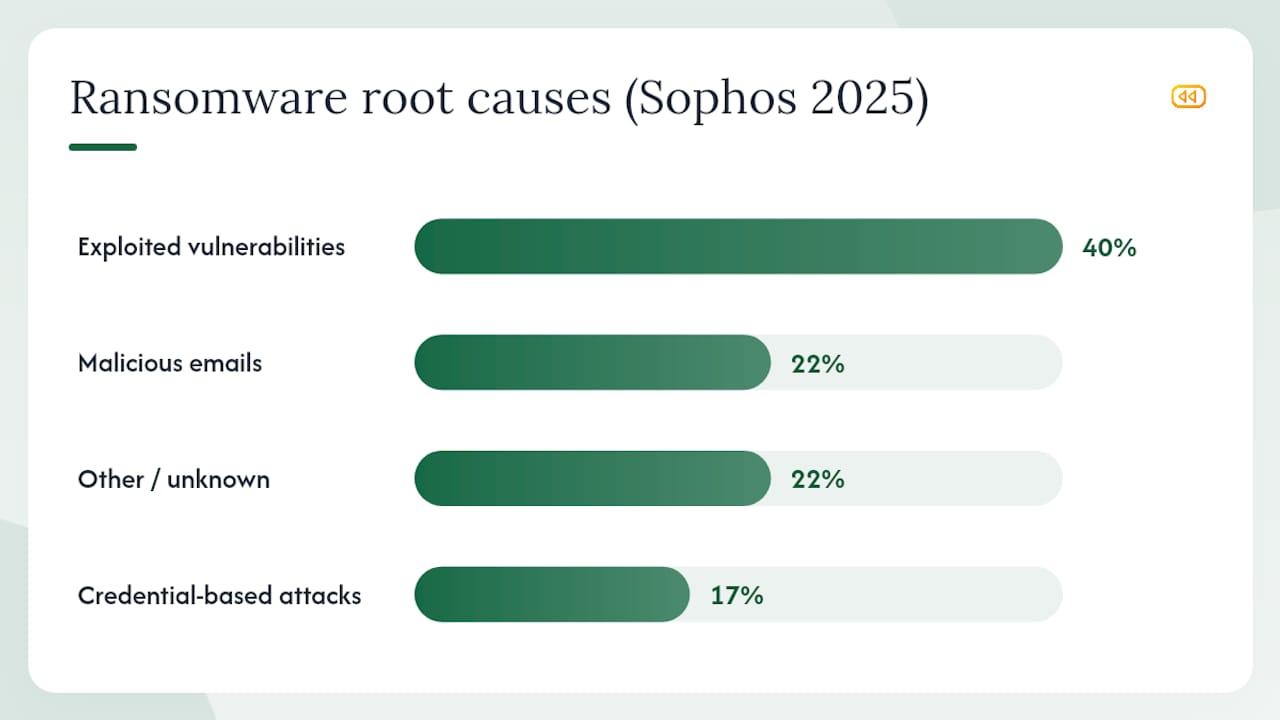
The financial services and professional services sectors have become primary ransomware targets, and the trend is accelerating. According to Sophos’s 2025 State of Ransomware in Financial Services report, exploited vulnerabilities account for 40% of ransomware root causes in financial services, followed by malicious emails at 22% and credential-based attacks at 17%.
Those three vectors map almost perfectly to the daily workflows of an accounting firm: unpatched practice-management software, invoice-themed phishing emails, and reused portal credentials.
Root causes of ransomware in financial services (Sophos 2025)
| Root Cause | Share of Incidents |
|---|---|
| Exploited vulnerabilities | 40% |
| Malicious emails | 22% |
| Credential-based attacks | 17% |
| Other / unknown | 22% |
Double-extortion, where attackers exfiltrate data before encrypting it, has become the dominant model. CISA’s ransomware FAQs explain why this matters: even a firm with working backups faces a separate, parallel threat of stolen client data being published or sold. Restoring your systems does not make the exfiltration go away.
Government advisories accounting firms should bookmark:
- FBI Cyber Investigations — incident reporting and active threat intelligence
- CISA Stop Ransomware — mitigations, playbooks, and known-exploited-vulnerability alerts
- NJCCIC — New Jersey Cybersecurity and Communications Integration Cell, which publishes sector-specific advisories
What a ransomware incident actually costs an accounting firm
The operational timeline of an attack is what makes accounting firms uniquely vulnerable. Attackers often schedule encryption to coincide with tax deadlines or payroll processing windows, when the pressure to restore access is highest and the willingness to pay is greatest.
Operational impacts in the first 72 hours:
- Tax filings in progress are inaccessible; extensions must be filed under emergency conditions
- Payroll runs cannot be processed if the payroll platform or its credentials are encrypted
- Client portals go dark; clients cannot access documents or receive deliverables
- Staff cannot access prior-year returns or work-in-progress files needed for client calls
Financial impacts extend well beyond the ransom demand itself. Recovery costs include forensic investigation, incident response vendors, legal fees, and potential client remediation. Cyber insurance, where it exists, typically covers some of these costs but rarely all of them, and coverage disputes over whether proper controls were in place are common.
The CalCPA’s published account of a ransomware event at a CPA firm illustrates how quickly a single incident cascades: the firm lost access to client files during tax season, faced client attrition, and spent months rebuilding trust. The operational disruption, not the ransom itself, was the dominant cost.
Regulatory and reputational consequences are the third layer. Under GLBA, accounting firms that handle consumer financial data have safeguards obligations. A breach that exposes client PII may trigger state notification laws, IRS reporting considerations, and professional liability exposure. The reputational damage from a client data leak published on a ransomware group’s leak site is difficult to quantify and nearly impossible to reverse.
Statistic: Academic research on cyberattacks against accounting systems found ransomware impacted 40% of studied accounting firms, with spear-phishing incidents carrying the highest frequency rate at 75%.
What to do in the first 72 hours after discovering ransomware
Speed and sequencing matter. The wrong first move, such as rebooting an infected machine or paying before consulting legal counsel, can permanently foreclose recovery options.
- Isolate immediately. Disconnect affected machines from the network. Do not shut them down; powered-off machines lose volatile memory that forensic investigators need.
- Activate your incident response plan. If you do not have one, your cyber insurance carrier’s hotline is the fastest path to a qualified incident response vendor.
- Preserve forensic artifacts. Take memory images and disk images of affected systems before any remediation begins.
- Disable compromised accounts. Reset credentials for any account that may have been exposed. Do not reuse passwords during recovery.
- Verify backup integrity. Confirm that your most recent immutable snapshot is intact and that backup credentials have not been compromised.
- Notify legal counsel and your cyber insurance carrier. Do this before notifying clients or regulators. Your attorney will guide the notification sequence to preserve privilege.
- Assess regulatory notification obligations. GLBA, state breach notification laws, and IRS reporting requirements may apply. Your attorney and your state CPA society can help scope this quickly.
- Communicate with clients deliberately. Prepare a factual, attorney-reviewed statement. Do not speculate about what data was accessed until the forensic investigation confirms scope.
Contact list template to prepare now (before an incident):
- Cyber insurance carrier: policy number and 24/7 claims hotline
- Outside legal counsel with cyber experience
- Incident response vendor (pre-contracted if possible)
- FBI Cyber Division for reporting and intelligence sharing
- CISA for reporting and mitigation resources
- State CPA society emergency contact
- Payroll processor emergency contact
On the payment question: CISA’s guidance is clear that paying a ransom does not guarantee data recovery or deletion of exfiltrated files, and may carry legal risk if the attacker is a sanctioned entity. That decision belongs to legal counsel, not IT.
Questions to hand your IT provider or MSP right now
Print this list and schedule a call with your IT provider this week. Every “no” or “I’m not sure” is a gap that needs a remediation date.
- Are our QuickBooks Online backups immutable? (High priority) Can any account on our production network delete or modify them? Request proof: an audit log showing snapshot immutability settings.
- When did we last successfully restore from backup? (High priority) Not “run a backup job” — actually restore data to a usable state. Request the restore log with a timestamp.
- Is MFA enforced on every portal our staff uses? (High priority) QuickBooks Online, payroll, state tax portals, email, and practice management. Request a MFA coverage report.
- Are our backup credentials stored separately from production credentials? (High priority) If the same password manager or Active Directory account controls both, they are not separated.
- Do we have EDR deployed on all endpoints, including remote staff machines? (Medium priority) Request a coverage report showing all managed endpoints.
- How often are admin credentials rotated? (Medium priority) Quarterly is the minimum; monthly is better for high-privilege accounts.
- Is our network segmented so that a compromised workstation cannot reach backup systems directly? (High priority) Request a network diagram showing backup system isolation.
- Do we have a written incident response plan with a tested contact list? (Medium priority) If not, this is a 30-day deliverable, not a long-term project.
Validate answers with documentation, not verbal assurances. Restore logs, immutable-snapshot audit trails, and MFA coverage reports are all producible within 24 hours by any competent IT provider. For firms evaluating their secure client data backup posture in QBO, that guide provides a parallel technical checklist.
Real incidents that show how these attacks unfold
NJCCIC: QuickBooks Online account takeover and ACH fraud
The NJCCIC documented a campaign in which threat actors sent phishing emails impersonating QuickBooks and other accounting software vendors. Victims who clicked the links had their credentials harvested; attackers then logged into QuickBooks Online accounts and changed vendor ACH payment details to redirect funds to attacker-controlled accounts. The attack required no malware, no encryption, and no ransom demand. The loss was financial and immediate.
Lesson: Vendor-record changes in QuickBooks Online should require a secondary approval step and trigger an out-of-band notification to the account owner. MFA alone is not sufficient if the attacker has a live session.
Everest ransomware group and payment processor targeting
Reporting in 2026 described the Everest ransomware group claiming a breach of a major payment processor, illustrating how attackers escalate from individual firms to the infrastructure those firms depend on. Accounting firms that rely on a single payment processor for client ACH transactions inherit the risk of that processor’s security posture.
Lesson: Assess the security posture of every payment processor and financial data aggregator your firm connects to. A supply-chain compromise can expose your client data without any action on your part.
CalCPA: ransomware during tax season at a CPA firm
CalCPA’s published account of a ransomware incident at a CPA firm describes the cascading operational impact: inaccessible client files during peak season, emergency extension filings, and months of client relationship repair. The firm’s backups existed but were untested, and the restore process took far longer than anticipated.
Lesson: A backup that has never been restored is an untested assumption. Quarterly restore drills, documented with timestamps and tested at the record level, are the difference between a two-hour recovery and a two-week crisis.
Key Takeaways
Ransomware targets accounting software because it concentrates high-value PII, trusted multi-client access, and deadline-driven payment pressure in a single, often under-protected system.
| Point | Details |
|---|---|
| Accounting systems are high-value targets | They store PII, bank details, payroll records, and multi-client credentials — all in one place. |
| Exploited vulnerabilities lead the threat | Sophos 2025 data shows exploited vulnerabilities cause 40% of financial services ransomware incidents. |
| Backups must be immutable and tested | Attackers neutralize accessible backups; only air-gapped, tested snapshots guarantee recovery. |
| Double-extortion changes the calculus | Exfiltrated data creates legal and reputational leverage even after systems are restored. |
| Akikalabs provides immutable QBO backups | Automated, encrypted snapshots with record-level restore give QuickBooks Online firms a tested recovery path. |
The gap most firms don’t see until it’s too late
The conventional wisdom on ransomware defense focuses almost entirely on prevention: better firewalls, more phishing training, faster patching. Those controls matter. But the firms that recover quickly from a ransomware event are not necessarily the ones with the best prevention stack. They are the ones that tested their restore process before the attack happened.
The failure pattern is consistent across nearly every published CPA ransomware account. The firm had backups. The backups were running on a schedule. Nobody had ever actually restored from them under realistic conditions. When the attack hit, the restore process revealed dependencies that the backup tool had not captured, credentials that had been rotated without updating the backup configuration, or snapshot chains that were corrupted because the backup system shared credentials with the production environment.
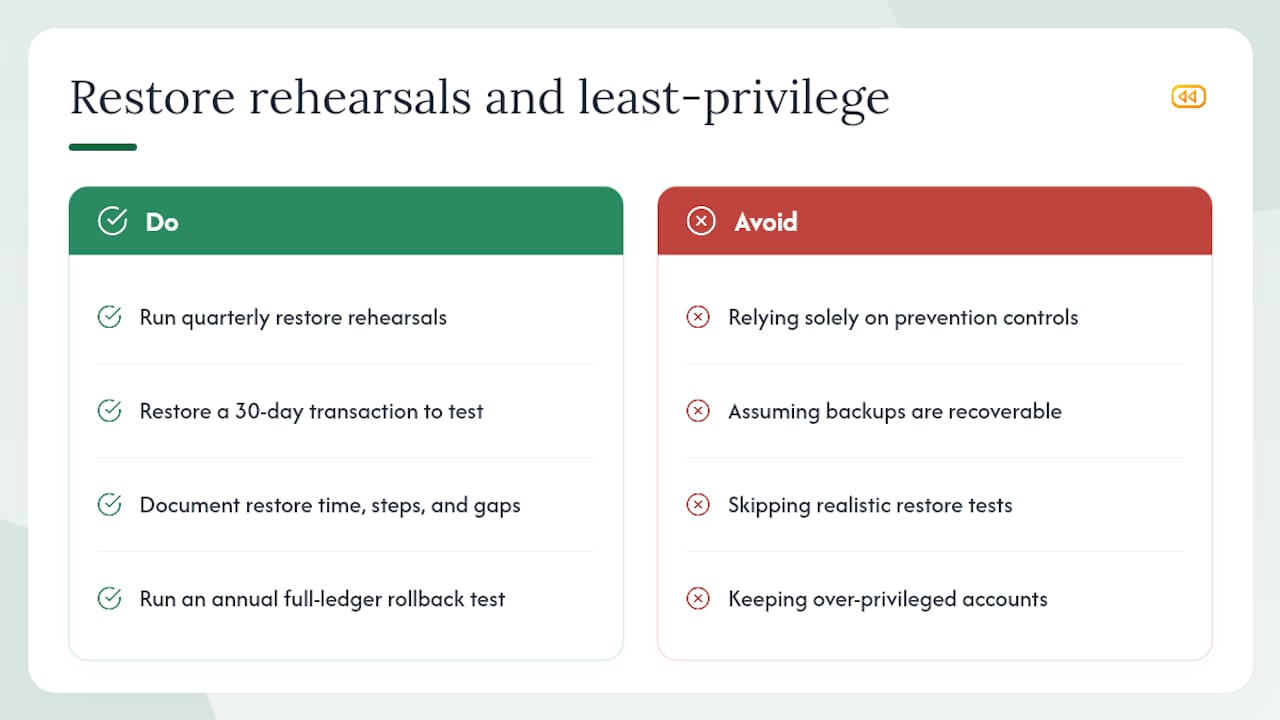
The practical fix is not complicated, but it requires discipline. Run a quarterly restore rehearsal. Pick a specific transaction from 30 days ago. Restore it to a test environment, not production. Document the time it took, the steps required, and any gaps you found. Then do the same for a full-ledger rollback once per year. That exercise will surface more real security gaps than any penetration test, because it tests the actual recovery path under conditions that approximate a real incident.
The second underappreciated failure is over-privileged accounts. Most accounting firms have staff members with admin access they accumulated over years of role changes, never revoked. Each one of those accounts is a potential pivot point for an attacker who has compromised a single credential. Least-privilege access is not a compliance checkbox; it is the control that limits how far an attacker can move once they are inside.
Akikalabs protects your QuickBooks Online data when it matters most
Ransomware incidents at accounting firms almost always reveal the same gap: the backup existed, but the restore had never been tested at the record level. Akikalabs is built specifically to close that gap for QuickBooks Online users.
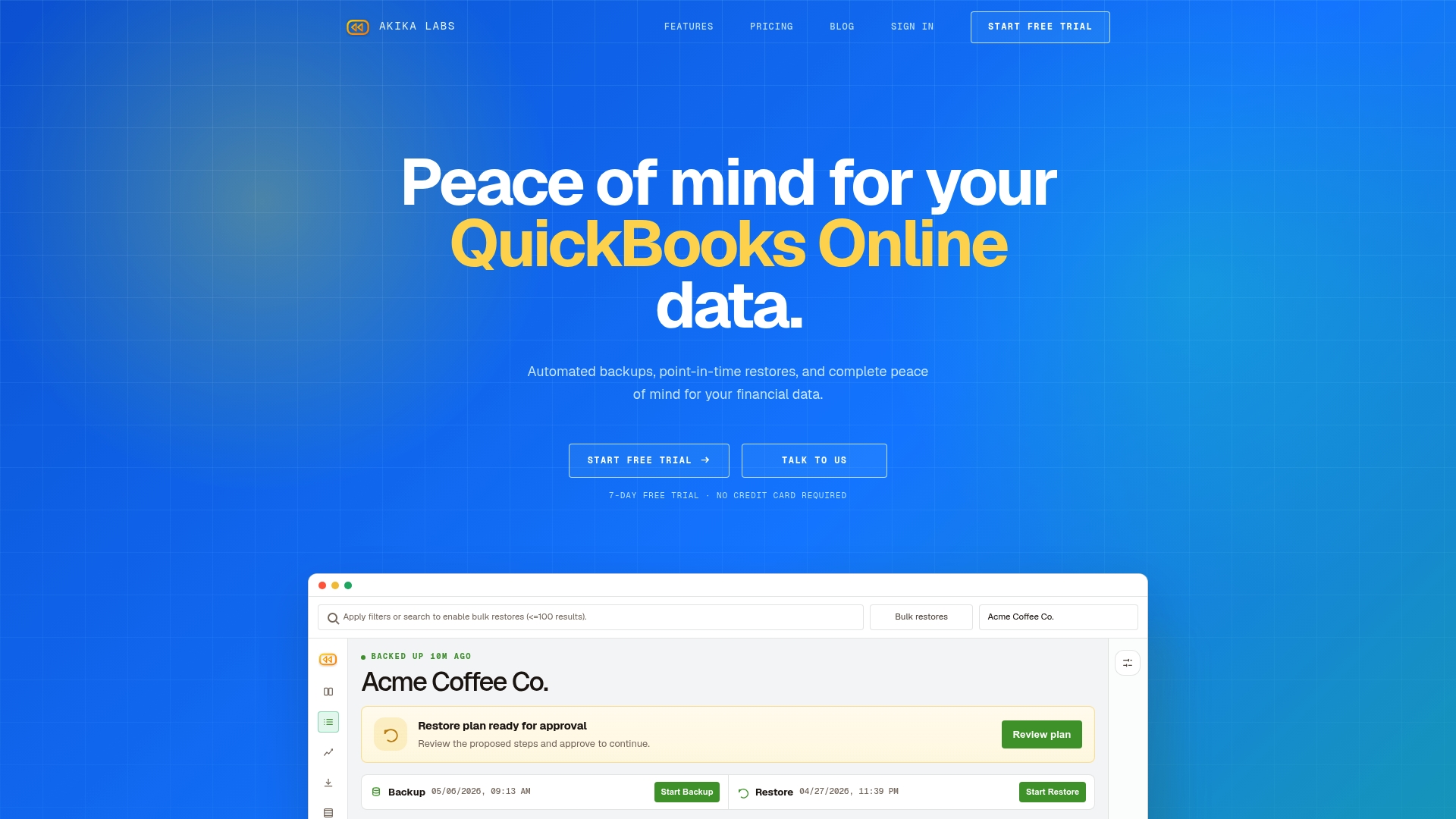
Akikalabs delivers automated, encrypted point-in-time snapshots of your QuickBooks Online company data, with granular record-level restores that let you recover a single transaction, invoice, or vendor record without overwriting surrounding data. Full-ledger rollbacks, change tracking with diff visibility, and audit trails with compliance-ready controls give your firm a documented recovery path, not just a backup file. Backup credentials are stored independently of your QuickBooks Online credentials, so a compromised production account cannot reach your snapshots.
For firms that need to answer “yes” to every question on the IT checklist above, Akikalabs provides the immutable snapshot architecture and restore documentation that IT providers and auditors can verify. Start a free 7-day trial and run your first restore drill before the next filing season.
Useful sources and authoritative references
- The State of Ransomware in Financial Services 2025 (Sophos)
- NJCCIC advisory on accounting software impersonation and account takeover
- Risks of cyberattacks on accounting: Analysis of modern threats and preventive measures (academic paper, 2025)
- FBI — Cyber Investigations
- CISA — Stop Ransomware
- CISA — Ransomware FAQs
- FTC — Cybersecurity for Small Business: Phishing guidance (PDF)
- FTC Consumer — How to recognize and avoid phishing scams
- When ransomware hits a CPA — CalCPA
Recommended
- Security at Akika | Akika Labs
- QuickBooks Online Backup: Why Restore Is the Hard Part | Akika Labs
- Akika Labs Blog | QuickBooks Online Backup & Restore
- Akika Labs | Secure Backup & Restore for QuickBooks Online
Akika Labs provides secure backup and restore for QuickBooks Online.
Read what Akika backs up, see how the restore workflow works, or review the security model. Akika Labs is an independent product and is not affiliated with Intuit or QuickBooks.